
Fujifilm, Olympus and Panasonic shutter count: what your files record, and how to check
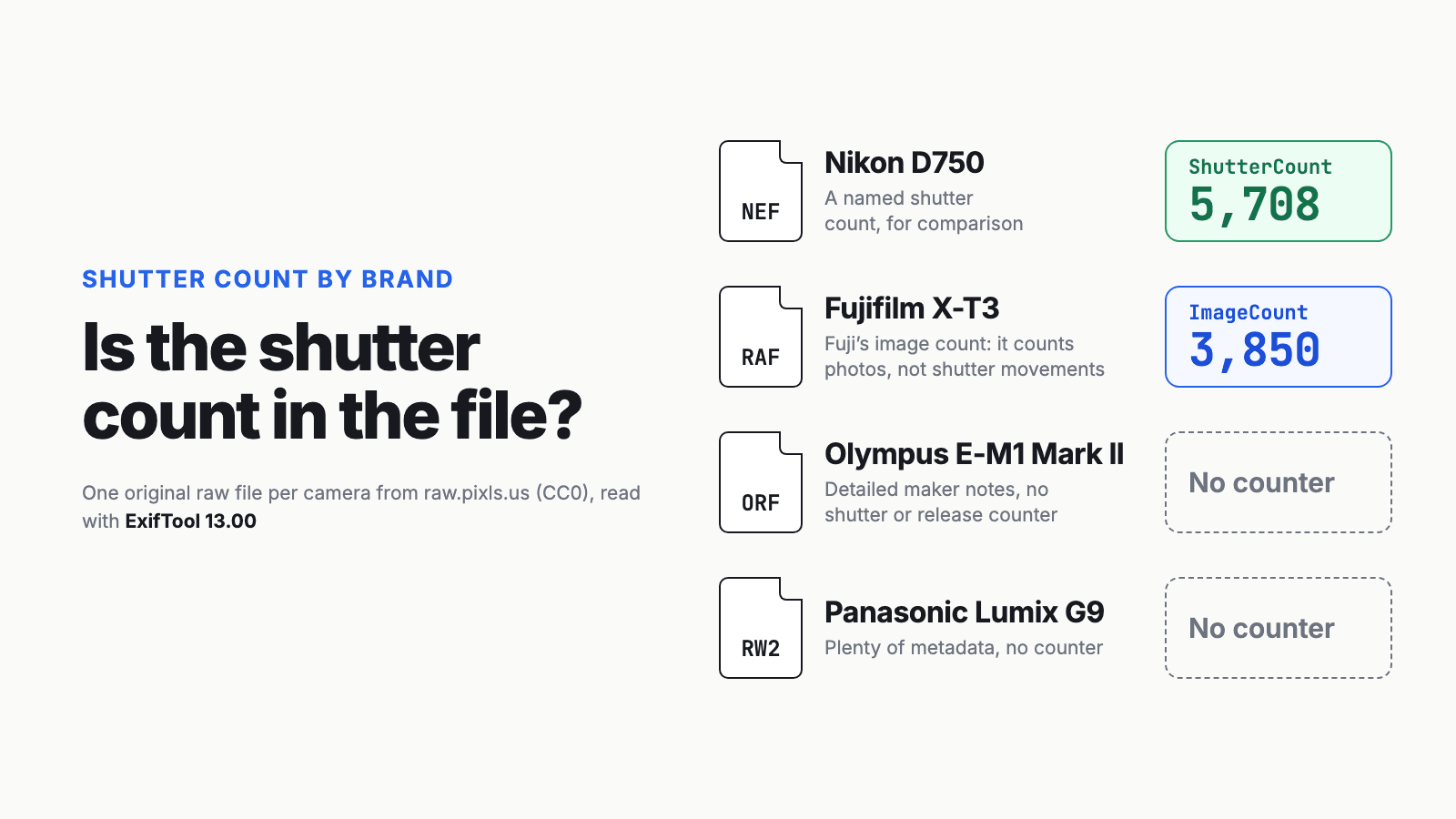
Most shutter count checkers come back empty for Olympus and Panasonic cameras, and Fujifilm results confuse people because the number has a different name. We ran an original raw file from each brand through ExifTool and our own checker. The Fujifilm file does record its count (Fuji calls it an image count), while the Olympus and Panasonic files contain nothing at all. Here’s the Fujifilm shutter count data we found, what each file holds, and how to get the number when it isn’t there.
Why some cameras don’t record shutter count in their photos
The shutter count isn’t part of the EXIF standard that every camera follows. Each maker decides whether to write it, and where: usually in a private block of the file called the maker notes. Nikon, Sony, Pentax and Fujifilm put a counter there. Canon does on only a few bodies. Olympus, OM System and Panasonic don’t put one in their photos at all, so no app or website can read it from the file, however good it is.
Maker notes are also where Fujifilm keeps its film simulation settings, which is how our Fujifilm recipes reader finds them, while Lightroom edits sit in a separate block that our preset extractor reads. Leaving the counter out is a choice by the camera maker, not a fault in your camera or your checker. The count still exists inside the camera; it just has to be read another way.
To see it with real files rather than forum reports, we downloaded one original raw file per camera from raw.pixls.us, a public archive of camera samples, read every tag with ExifTool 13.00 and ran each through the FindPreset shutter count checker. Here is what each file records, brand by brand.
Fujifilm shutter count: the number is there, called “image count”
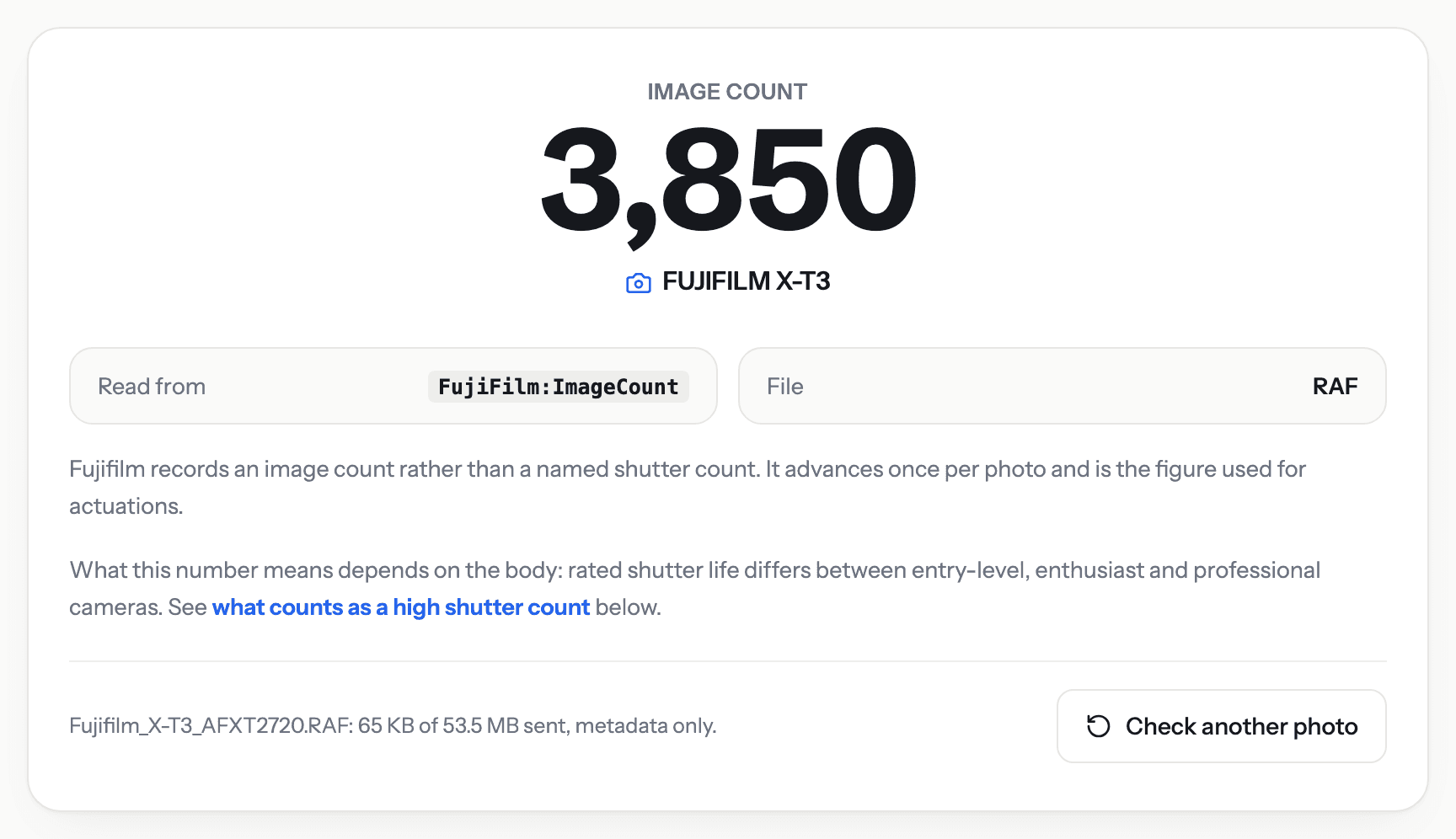
Our Fujifilm X-T3 raw file (RAF) carried a tag named ImageCount with a value of 3,850. Fujifilm has no separate tag called “shutter count”; this counter is the one Fuji bodies use, and it’s what our checker reads and labels as an image count.
Check your shutter countFree, no signup. Only the file header is sent.
Three things worth knowing about the Fuji number:
- It counts photos, not shutter movements. It goes up once per photo, so frames taken with the electronic shutter may be included. If you shoot mostly silent, the mechanical shutter may have done less work than the number suggests.
- Raw files work. The checker sent only 65 KB of the 53.5 MB file: the RAF header and the metadata of the preview inside it, where Fuji keeps the count.
- Raw is the safe choice. We tested a raw file. If a straight-out-of-camera JPEG shows no count, upload the RAF instead.
So for Fujifilm, the answer is usually simple: take a photo, upload the original file, and read the count. If you shoot Fuji, our Fujifilm recipes reader reads the film simulation settings from the same file.
Olympus and OM System: nothing in the file, use the hidden menu
Our Olympus E-M1 Mark II raw file (ORF) had a detailed set of maker notes, including serial numbers, lens data and focus steps, but no shutter or release counter of any kind.
Olympus and OM System bodies show the count on a hidden service screen instead. It’s reached with a key sequence that starts in the setup menu, and the sequence differs between models, so look up the steps for your exact model and follow them carefully. If you’d rather not, an OM System service centre, which also services Olympus cameras, can read the count.
Panasonic Lumix: nothing in the file, ask a service centre
Our Panasonic Lumix G9 raw file (RW2) was the same story: plenty of metadata, no counter.
Some Lumix bodies reportedly have a hidden service screen that shows the count, but the key sequence differs between models. The dependable route is a Panasonic service centre, which can read the count from the camera during a check-up. If you’re buying a used Lumix, ask the seller whether it has been serviced recently and whether the paperwork shows a count.
Results: what each file records
| Brand and file tested | What the file records | How to get the count |
|---|---|---|
| X-T3, RAF | Image count (3,850) | Upload the original photo to a checker |
| E-M1 Mark II, ORF | No counter | Hidden test menu on the camera, or a service centre |
| Lumix G9, RW2 | No counter | Service centre; hidden menu on some models |
| D750, NEF (comparison) | Shutter count (5,708) | Upload the original photo to a checker |
One file per model is a small sample, and makers sometimes change what newer bodies record. If your camera is a different model, upload one of its original photos: the checker shows the number, or explains why it found none.
Once you have the count, our guide to what a good shutter count is for a used camera turns it into a verdict.
Frequently asked questions
Why does my Fujifilm photo not show a shutter count?
Fujifilm doesn’t use a tag called “shutter count”. The counter is stored as “ImageCount” in Fuji’s maker notes, which many tools don’t look for. If it’s still missing, the photo was probably edited or sent through an app that stripped the metadata, so use the original file from the card.
Is there a hidden menu for Olympus shutter count?
Yes. Many Olympus and OM System bodies have a hidden service screen that shows the release count, reached through a key sequence that differs between models. An OM System service centre can also read it.
Can a service centre read the shutter count?
Yes. Authorised service centres for Olympus, OM System, Panasonic and other brands can read the count from the camera itself, usually during a check-up or repair. Ask for it to be written on the service report.
Does the image number on the file equal the shutter count?
No. In our tests the Nikon D750 file was numbered 5,045 while its shutter count was 5,708, and the Fujifilm file name ended in 2720 while its image count was 3,850. File numbers roll over at 9,999 and can be reset, so they say little about wear.
Sources
- Sample files from raw.pixls.us (CC0): Fujifilm X-T3 AFXT2720.RAF, Olympus E-M1 Mark II ORF, Panasonic DC-G9 P1000475.RW2, Nikon D750 NEF. Read with ExifTool 13.00 and the FindPreset checker on 22 October 2026.
- Maker support pages: Fujifilm X Series and GFX support, OM System service and support, Panasonic digital camera support.
- ExifTool FujiFilm tag reference, which documents the ImageCount tag.
- Raw formats in general: what a raw file such as DNG contains.